HELP ARTICLE
How to download Onzi and start your World Cup 2026 sticker album
A quick guide to installing Onzi, opening it for the first time, and scanning your first sticker, with no sign-up and full offline support.
3 min read · Updated June 7, 2026
Download Onzi for free
Onzi is free and runs on both iPhone and Android. Getting it works like any other app: grab it straight from your phone's official store and, a few seconds later, it's ready to open.
No paid version, no premium tier, no catch. You download it, use everything, and keep filling your album sticker by sticker without spending a cent.
- On iPhone: open the App Store and search for "Onzi".
- On Android: open Google Play and search for "Onzi".
- Tap install and wait for the download to finish.
- Double-check it's the real Onzi app before installing.
Open the app for the first time
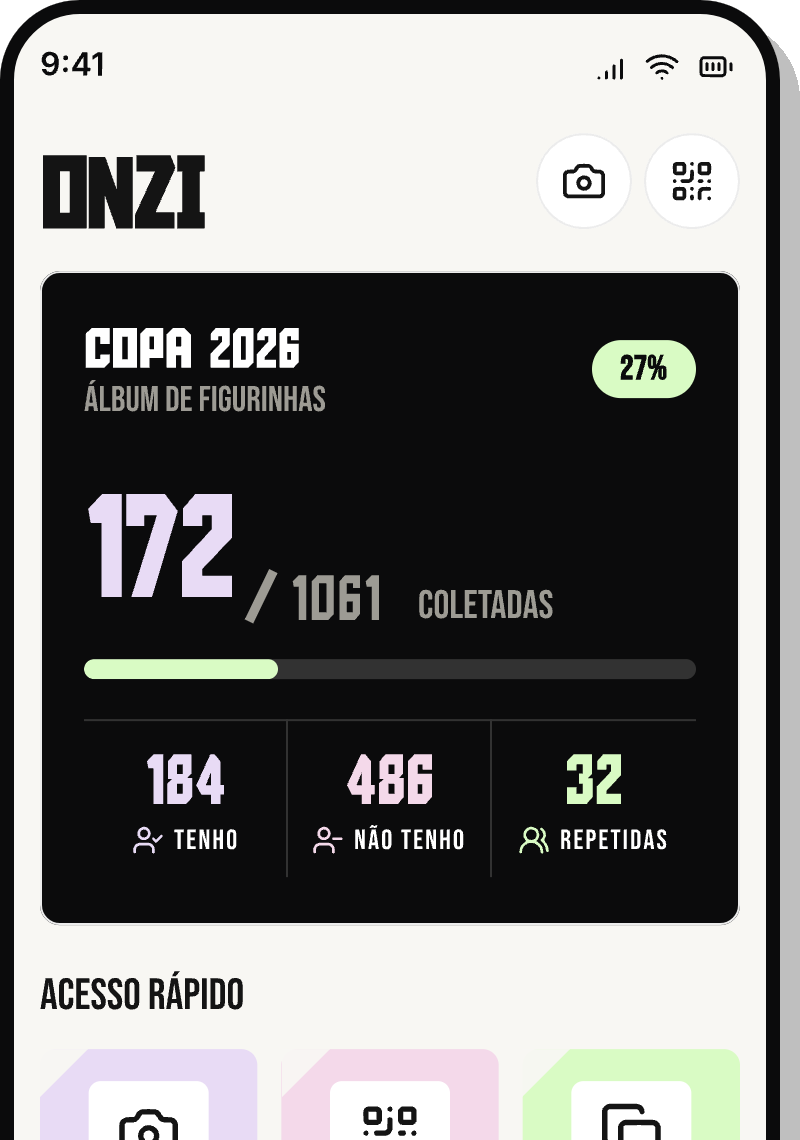
Installed? Just tap the Onzi icon to open it. The first time around, the app may walk you through the main features: scanning stickers, tracking your album progress, and sorting your duplicates by national team.
You land right inside your album, with no sign-up or busywork in the way. The first time you scan, your phone will ask for camera permission. Allow it, point at a sticker, and Onzi reads the team and number on its own, no typing required.
No account, no sign-up
You don't need to create an account, hand over an email, or come up with a password to use Onzi. No login, no registration: open the app and it's already yours and ready to go.
Since there's no account, your collection lives on your phone itself, not in the cloud. Keep that in mind when you switch phones: your collection is tied to this device and currently can't be transferred to another phone on its own. So leave the app installed and avoid clearing its data. You don't need an account to reinstall, but reinstalling starts your album from scratch.
Works offline and respects your privacy
Onzi is built to run without internet. You can scan stickers, mark what you already have, check your progress, and sort your duplicates in airplane mode, in a packed stadium, or at a friend's place with no Wi-Fi.
Your data stays on your device, full stop. The app has no ads and no trackers, so your collection belongs to you alone.
- Scan and mark stickers with no connection.
- Track album progress and the team ranking offline.
- No ads and no tracking.
- A connection only matters for downloading the app and getting updates.